Lots of surfaces:
The process of getting VTK data to show up in my FLTK GUI was pretty gruelling for me. Each step of this walkthrough of my process can probably be traced back to a specific email or newsgroup post. When all was said and done, the newsgroup probably has a pretty good walkthrough of how to get the trickier parts done.
The first thing I did was to get my FLTK GUI popping up a simple VTK window that displayed the post data.The next thing I did was make all the creation and destruction of the vtk objects handled by my window. After I got that handled, I hooked up the GUI to control the data range that I was displaying and the number of surfaces that were created between them.
It was at this point that I started trying to get the FLTK window to draw my isoSurface. I did a lot of poking around on the internet and actually found a class that is a wrapper that hooks a VTK window into an FLTK window. I figured using that library was probably cheating and moved on.
With my window pop-up gone, I didn't have much to go from. I started by trying to read the polygon data out of my vtknormals. I spent another 3 hours trying to get this to work to no avail until it was pointed out to me that I needed to manually update my normals before getting the data out.
Once I got that at of the way I learned about InitTraversal and the getNextCell functions. With these I figured out how to traverse my isoSurfaces cell by cell and point by point. I finally had some simple white surfaces drawing and I was happy.
Next, it was time to spend another 4 hours trying to get something else simple to work: my normals. I didn't understand how I was supposed to get at the data that I needed, and whether I should do it on a point-based level, or on a cell based level. I tried to figure out how to get the cell ID for what cell I was drawing to no avail, so I started focusing on point-based normals. Wei showed me how to get the output from my normal object, get the point data, and then get the normal information out of that. Now my object was shading correctly. I only had one more thing left to do.
I thought that the psedocoloring would just be something that was handled by VTK so I tried getting the scalar data for each point, assuming that the value was going to be a tuple or RGB values. I was wrong again and I ended up with some really artsy looking stuff. While it was interesting to look at, the coloring didn't tell me anything interesting. I worked at it for a few more hours and then was informed that I was, as I suspected, using garbage data for my coloring. The fact was the scalar is actually a single value for the point's magnitude and I needed to map it to a color on my own. This part was actually easy since I'd done it for the last project already.
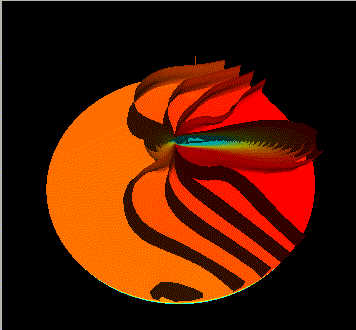
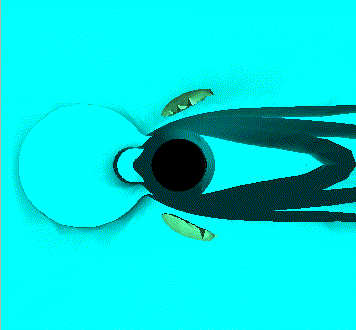
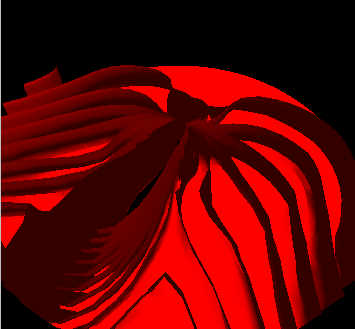
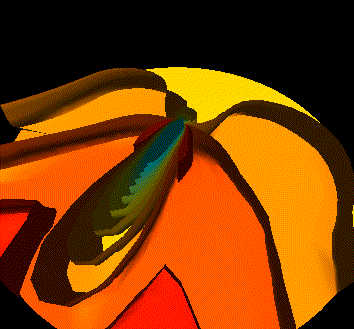
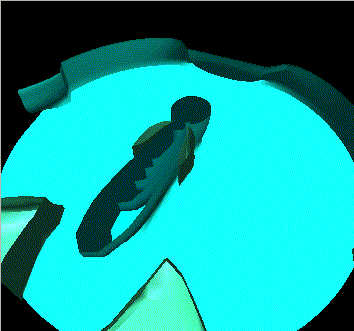
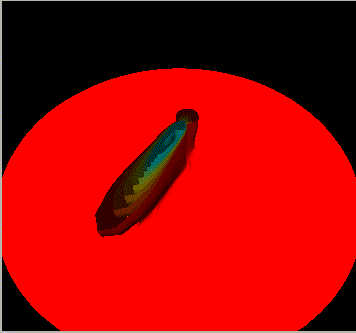
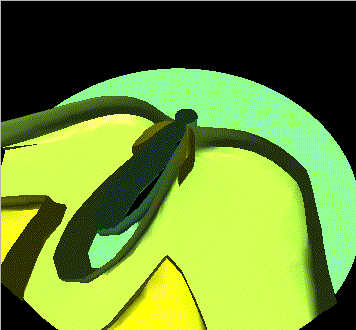
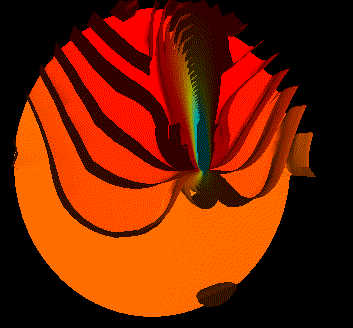
With my coloring in place, the program was done and in testing the different stages, I'd found some interesing spots in the data: Here are some sample pictures of the program in action:
Lots of surfaces: |
The ears: |
|
|
| Lots of surfaces with coloring tweaked up: | lots of surface, a nice gradient, and red ears |
|
|
| The Big Blue Wading pool: | the Red Plate and the anvil: |
|
|
| Angel Wings: | Lots of Surfaces and a good Gradient: |
|
|
I think the more interesting points of the data are the "ears", the points that were really close to the post where things swirled around a lot, and some of the outer "angel wings".
The ears are cool because they are these little pockets that are branching off from the main anvil. I think that they are the same form as the bigger angel wings that spread out to the edge of the dataset.
The color scale varies with the range of data that you're using, so depending on how you specify your range and surfaces, you can get some really dynamic surfaces.
Now that everything is done, I'm really pleased with the output and believe that I could extend this program to other VTK visualizations without much pain. Unfortunately, I've already burned a week-and-a-half's worth of evenings hammering on this and really need to get working on my final.
If nothing else, it looks like the other people in the lab are having an easier time moving things over now that all the stumbling blocks have been addressed in the newsgroup. yay me.
Questions about this program? email me: n8lieby@hotmail.com